Why Your VHF Transmits but Nobody Hears You
Sailboat VHF troubleshooting has gotten complicated with all the conflicting advice flying around online. And when you’re keying the mic at 2 a.m. with no response, the last thing you need is to chase the wrong problem. So today, I’ll share everything I know — in the order that actually matters.
First, though: there are two completely different failure modes here, and they look deceptively similar. Mixing them up costs you time you may not have.
The first mode — your radio displays a transmit indicator, maybe a little TX icon or an LED, but the person on the other boat hears nothing. Dead air. The radio thinks it’s working. RF just isn’t reaching the antenna.
The second mode — nothing. No backlight. No display. No response when you key the mic. That’s a power problem, not an antenna problem. Different animal entirely.
I’ve watched sailors spend a full hour pulling coax apart when the real culprit was a corroded battery terminal the size of a pea. Don’t make my mistake. If your display is lit and responsive, skip straight to the antenna section. If nothing lights up at all, jump to power. That one distinction will save you.
Most offshore VHF failures — and I’ve dealt with my share, including a memorable one about 40 miles offshore in a confused swell — involve the antenna connection. Corroded connectors, pinched coax, a failed masthead fitting. Those three things account for roughly 70% of real-world failures. The radio itself almost always outlives the path between the radio and the sky.
Check the Antenna Connection First
Start at the back of the radio. Most sailboat VHF units use a PL-259 connector — that threaded brass fitting that screws onto the antenna port. After a season offshore, it develops a white or green crusty buildup. That’s corrosion. It looks harmless. It is absolutely not harmless.
Unscrew it by hand. Look at the center pin. It should be shiny, gold-colored. If it’s dull or dark or looks like something is growing on it, you’ve found your problem.
Grab a pencil eraser or a small piece of fine steel wool — 0000 grade works well. Gently scrub the center pin until it shines. This is brass, not steel, so don’t go aggressive. Wipe the debris with a clean rag. Do the same to the inside of the connector body where the pin seats. Reconnect it hand-tight, then one more quarter-turn with a wrench. Stop there. Overtightening strips the threads, and then you have a different problem.
Now follow the coax cable from the radio to wherever it runs topside. Look for kinks, crushed sections, places where it’s been pinched by a cleat or lifeline fitting. Damaged coax doesn’t transmit reliably. If something looks wrong, that section is suspect.
For stepped-mast boats, the antenna usually terminates at a masthead connector — another PL-259 or sometimes a threaded N-type fitting. These corrode faster than the radio-end connector because they live in salt spray full-time. Unscrew it and repeat the cleaning process, if you can safely get up there. Offshore, honestly, that’s not always the call.
The Paper-Clip SWR Trick
Unfold a standard paper clip into a straight wire. Disconnect the coax at the back of the radio. Hold the paper clip so one end touches the center pin of the antenna port and the other end touches the outer threaded collar. Key the mic and transmit on low power.
If the radio transmits and the paper clip gets warm, your antenna path is broken. The transmitter works, the power is there, but the signal is going nowhere useful. If the paper clip stays cool or the radio doesn’t transmit at all, you’re looking at a power or radio failure instead.
Thirty seconds. That’s all this test takes. I picked it up from a commercial fishing captain in Kodiak — he’d been running boats out of there for 22 years and swore by it. It’s saved me hours of guesswork since.
Rule Out Power and Fuse Problems
If your display is dark, start here instead of the antenna section.
Your VHF draws roughly 5 amps during transmission. Most sailboats run them off the house bank through a dedicated 15 or 20-amp breaker. Find that breaker on your electrical panel. Is it tripped? Switch it off, count to five, switch it back on. A voltage surge can cause a nuisance trip that resets cleanly.
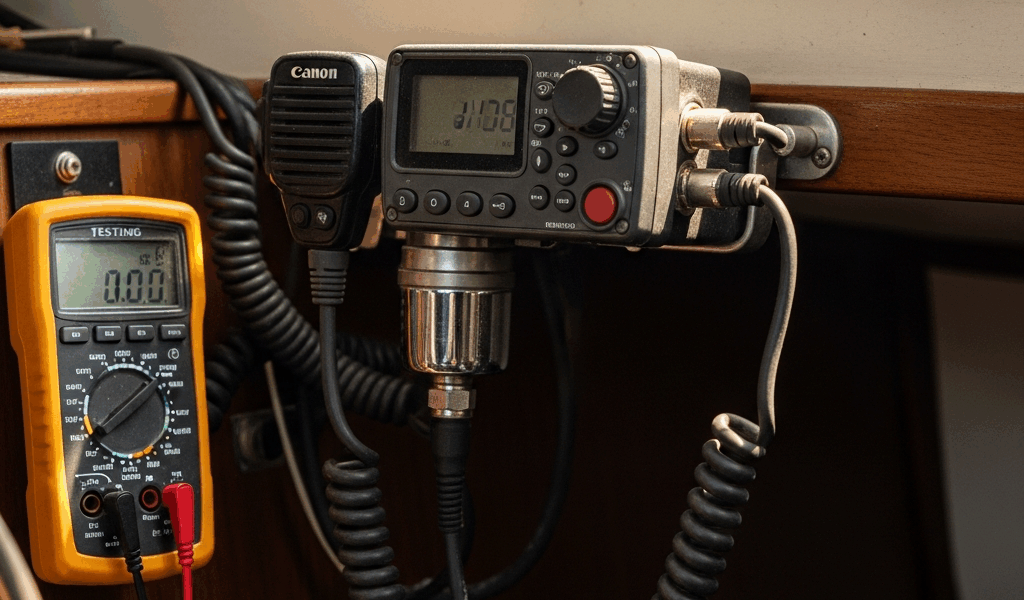
Now check voltage at the radio’s power terminals with a multimeter — DC volts setting. You want to see 12V with the radio off. Key the transmit button and hold it. If voltage drops below 11V under that 5-watt load, your power supply is sagging. Undersized wiring, a corroded terminal, or a shared circuit pulling too much during transmit are the usual suspects.
I had a VHF once that looked completely dead. Tested the voltage — looked fine. But under transmit load, the resistance in a corroded negative cable became visible and the radio dropped out mid-transmission every single time. The corrosion was hiding under the insulation. Looked fine topside. Wasn’t fine. Cleaned the cable, problem gone.
Also check for an inline fuse holder between the breaker and the radio. Some installations include one — small cylindrical fuse, usually 10 or 15 amps. If it’s blackened or the wire inside is broken, replace it. Carry spares of the correct amperage. Honestly, this should already be in your spares kit.
Reset DSC, Channel Lock, and Low-Power Mode
Modern VHF radios are packed with software quirks that can prevent transmission without any hardware failure at all. Probably should have mentioned this section earlier, honestly.
First check: is your radio in 1-watt low-power mode instead of 25-watt high power? Most Standard Horizon and Icom units have a power selection button labeled PWR or HI/LO. Press it and confirm the display reads HIGH. Low power might work at close range — we’re talking maybe a quarter mile — but it won’t carry across open water.
DSC distress locks are another one. If the radio thinks it’s in an emergency mode, it can block normal transmission entirely. The reset sequence varies by manufacturer and model year, so your manual is the authority here — generally you’re looking for a menu option that says DSC RESET or EMERGENCY MODE RESET, but I’m not going to invent model-specific steps for a radio I haven’t personally used.
Some units also have channel guard or channel lock modes that mute or restrict transmission on certain channels. Check the menu for GUARD MODE or CHANNEL LOCK and disable it temporarily to rule it out.
Twenty minutes reading the actual manual beats an hour of button-mashing. That’s always been true.
When the Radio Itself Has Failed — What to Do Offshore
If you’ve worked through antenna, power, and software and the radio still won’t transmit, the radio itself has likely failed. Stop troubleshooting. Switch to your backup.
You do have a handheld, charged and ready — right? Every offshore boat carries one. Mine lives in a Pelican 1060 case next to the chart table and gets charged every three days whether it’s been used or not. That’s the routine. VHF is a safety device, not a convenience feature.
If you’re in harbor, you have time to test the mounted unit or arrange a repair appointment. If you’re offshore, a working handheld is not optional.
Once you’re back in port, document what you’ve already checked: antenna connection cleaned, power verified at the terminals, software reset attempted. That information saves a marine electronics tech time — and saves you money on diagnostic labor. If the radio is out of warranty and repair cost approaches replacement cost, current Icom and Standard Horizon units in the $400–$800 range are solid. The IC-M506 and the Standard Horizon GX2400 both have good track records. Just confirm your MMSI registration transfers to the new unit before you toss the old one.
VHF transmitter failures are rare. Antenna connection failures are common. Power problems are common. Software quirks happen. That’s the order — and that’s exactly the order this article has walked you through.




Stay in the loop
Get the latest sail the seas mag updates delivered to your inbox.