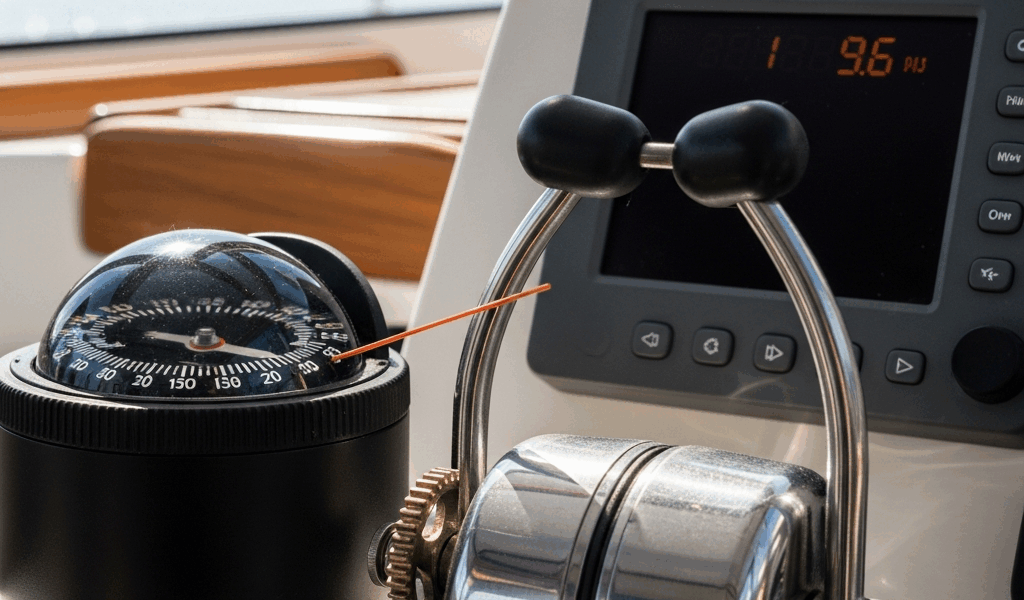
What Autopilot Not Holding Course Actually Looks Like
Autopilot troubleshooting has gotten complicated with all the conflicting advice flying around on sailing forums. As someone who has delivered boats up and down the East Coast for going on twelve years, I learned everything there is to know about autopilots failing at the worst possible moments. Today, I will share it all with you.
Four days into a Bermuda-to-Chesapeake delivery, I was convinced my Raymarine ST4000 was completely dead. Turned out it was miscalibrated. That was a long four days.
But what is “autopilot failure,” really? In essence, it’s your boat refusing to hold a set heading without constant correction. But it’s much more than that — it’s actually three completely different problems wearing the same disguise, and treating them as one thing is where most sailors lose hours of their life.
The symptom matters. Enormously. Hunting looks like this: the autopilot overshoots your heading, slams the other direction, overshoots again. Your compass swings 4 or 5 degrees either side of the set course. In flat water it’s obvious immediately. Offshore, wind and current bury it — until you pull up your GPS track and realize you’ve been embroidering a herringbone pattern across your intended route for the last three hours.
Slow drift is quieter. You punch in 090 degrees. The compass reads 090. But your GPS ground track creeps northward in slow motion — ten minutes later you’re actually making 095 and the autopilot is still telling you everything’s fine. It’s fighting something and losing incrementally, not hunting wildly.
Total non-response is the third one. You engage the pilot, the head unit lights up, the display shows active — and the wheel sits there doing absolutely nothing. Dead servo. Honestly, that one’s the easiest to work with because the diagnosis is immediate: something mechanical or electrical has completely let go.
Hunting almost always traces back to compass or calibration issues. Drift usually means mechanical slop or a tired drive unit. Complete non-response points to electrical or hydraulic failure. Nail down which symptom you’re actually dealing with before touching anything — especially if you’re three days offshore with nothing but open water for 500 miles in every direction.
Check the Compass and Fluxgate Sensor First
Start here. Every single time. A compromised fluxgate compass is the number-one reason autopilots hunt, and ruling it out costs nothing.
Most modern sailboat autopilots use a fluxgate sensor — either built into the head unit or mounted separately on a bulkhead panel. It reads Earth’s magnetic field and feeds heading data to the autopilot computer. Feed it bad data and the autopilot dutifully chases a phantom heading while you assume the unit is dying.
First check: placement. Where is your fluxgate physically sitting? If it’s anywhere near an engine starter cable, a battery busbar, or your main distribution panel, you already have your answer. I’ve personally seen fluxgates mounted 18 inches from a 150-amp main breaker showing deviation swings of 8 degrees or more. The fix cost $12 in mounting hardware and about forty minutes of repositioning. Minimum safe distance from high-current conductors is 3 feet — more if your layout allows it.
Next, scan for stray magnetic interference. Grab a handheld compass — a basic Plastimo or similar, nothing fancy — and stand near the autopilot head. Note the reading. Move the handheld slowly around the surrounding area at the same height as the fluxgate. Watch for deflection. Common culprits I’ve found personally: metal fuel cans stored nearby, an anchor chain locker directly above the head unit, stainless steel radar mounts, and one memorable case involving a 40-amp portable battery charger that someone had left wedged against the nav station all winter.
Rigging hardware causes sneaky interference too. Frustrated by a persistent hunting problem on a Catalina 42, the owner had spent two full days swapping components before we discovered the lower shroud chainplate — sitting inches from the autopilot head mounted beneath the companionway — had oxidized into a ferrous compound. Moved the unit 18 inches forward using a $22 bracket from West Marine. Problem gone.
Now run a compass swing. Put the boat on known magnetic headings in calm, flat water and record what your autopilot compass reads versus what the handheld shows. Swing all four cardinals and the four intercardinals. Plot the differences. Deviation above ±5 degrees at any heading means the compass needs service or relocation. Swings of ±10 degrees or worse mean active interference — something is physically close to the sensor that shouldn’t be.
Probably should have opened with this section, honestly. I’ve watched sailors drop $400 on replacement drive units when a $40 relocation bracket fixed everything. Don’t make my mistake.
Inspect the Drive Unit and Mechanical Linkages
Once the compass checks out, look at the physical hardware — the stuff that actually moves the wheel or tiller.
Wheel pilots and tiller pilots fail mechanically in entirely predictable ways. Wheel pilots use a friction clutch gripping the wheel hub. Tiller pilots use a linear ram — usually hydraulic — pushing and pulling against the tiller arm. Both have specific wear points that show up after a few seasons of hard use.
Wheel clutch first, if that’s your setup. Engage the autopilot by hand and try turning the wheel yourself. You should feel resistance — real resistance — but still be able to override it with steady pressure. That manual override matters in an emergency. If the wheel spins freely with zero resistance, the clutch is slipping. Check the clutch pad on the wheel hub. Glazed, smooth, cracked — any of those means replacement. It’s a 10-minute job. Parts run $80 to $150 depending on whether you’re dealing with a Simrad, Raymarine, or Garmin unit.
For tiller pilots, hydraulic fluid level is the first thing to check. Most units have a sight glass or a small dipstick on the side of the drive body. Fluid down by half means a weeping seal somewhere — and a weeping seal loses pressure under load, which causes the pilot to slip and hunt constantly. Top it off with the manufacturer’s specified fluid. Not generic hydraulic fluid. Whatever the manual says. If the level drops again within a few hours of running, the seals need replacement. That’s a bigger job but still a $60-to-$120 fix rather than a new unit.
Check mechanical play throughout the linkages — steering quadrant, tiller arm connection, rudder shaft coupling. I’m talking about looseness you can feel with your hand. A quarter-inch of side-to-side play at the tiller arm translates to several degrees of error at the rudder. That’s enough to drive an autopilot crazy. Tighten everything. Check the coupling bolts where the drive unit meets the steering system specifically — they back off in rough seas and almost nobody checks them.
Listen while the autopilot steers. A drive unit cycling constantly — on two seconds, off one second, repeating — is usually compensating for mechanical slop upstream, not failing electrically. The autopilot is making corrections that the slack in the system is simply eating. That’s what makes this symptom endearing to us troubleshooters — it looks electrical and sounds electrical, but it’s a loose bolt. Eliminate the slack first.
Diagnose Electrical and Power Supply Faults
Voltage drop is the most under-diagnosed autopilot killer on cruising boats. Most autopilots pull 20 to 40 amps under active steering load — and if voltage at the head unit drops more than 0.5 volts during operation, the autopilot starves. It doesn’t fail dramatically. It just gets stupid and unreliable.
Here’s the test. You’ll need a basic multimeter — a $15 Crenova from Amazon does this fine. Red probe to positive, black to negative, right at the autopilot connector. Measure voltage at rest. Then measure it while the pilot is steering hard through a turn. At rest: somewhere between 12.0 and 13.6 volts depending on your alternator. Under load: should drop no more than 0.5 volts. A drop of 1.5 volts or more means a wiring problem, not an autopilot problem.
Trace every connection between the battery and the head unit. Battery terminal to main breaker. Main breaker to autopilot circuit breaker. Circuit breaker to autopilot. Look for corrosion — white or blue-green crust on the terminals. A connection that looks solid can drop 0.3 volts right across the corrosion layer without showing any other symptoms. Disconnect each terminal, scrub with a wire brush until you see bare metal, reconnect, and coat lightly with dielectric grease. That’s it. I’m apparently a dielectric grease evangelist at this point and Ox-Gard works for me while the cheap stuff never holds up past one season.
The drive unit terminal block deserves specific attention. It’s where the wire from the head unit connects to the servo motor — usually inside a small enclosure on the drive unit body itself. This spot lives in salt spray and condensation. Open the enclosure, inspect the terminals, and if you see white crusty buildup, clean it the same way: disconnect, wire brush or fine sandpaper, reconnect clean.
Shared circuits are trouble. Most autopilots need a dedicated 20-amp circuit running direct from the battery — at least if you want reliable performance. If your autopilot shares a circuit with the chartplotter, fishfinder, or galley outlet, you’ve built yourself an intermittent fault machine. Every time something else draws current, your autopilot glitches. Run a dedicated circuit. If that’s genuinely not possible, upgrade the wire gauge to compensate — 10 AWG minimum for runs over 15 feet.
Recalibrate Before You Replace Anything
Here’s what I wish someone had told me bluntly about ten years ago: recalibrate your autopilot after every repair, every compass relocation, and every significant change to nearby electronics. Most sailors skip this entirely. Then they wonder why the same problem comes back.
So, without further ado, let’s dive in. Every major autopilot brand has a calibration routine — Raymarine calls it Sea Trial mode, Garmin calls it Autopilot Setup, Simrad uses Installation Mode. The label differs. The process is nearly identical across all of them.
The routine trains three settings: rudder gain, counter-rudder response, and sea state sensitivity. Rudder gain controls how aggressively the pilot corrects. Too high and it hunts. Too low and it drifts. Counter-rudder controls how much the pilot backs off the rudder after a correction — too little and you overshoot repeatedly, too much and the response lags behind the boat. Sea state accounts for wave-induced motion so the pilot isn’t constantly reacting to swell that isn’t actually changing your course.
Rudder gain calibration might be the best option to focus on first, as proper autopilot performance requires dialing in this setting precisely. That is because the gain setting is the most boat-specific variable in the entire system — a 38-foot fin-keel sloop and a 42-foot full-keel cutter need completely different gain values even running the same hardware.
Run calibration on a flat, calm day in open water with good visibility. Set a heading, engage calibration mode, and let the autopilot steer for 10 to 15 minutes while it learns the boat’s steering response. It will make slightly exaggerated inputs during this process. That’s normal. Don’t intervene.
After calibration, run a simple pass-fail test: set a heading in steady conditions, let the autopilot steer for 10 minutes, then compare your GPS ground track to your set heading. Deviation under 2 degrees — you’re done. More than 3 degrees and something upstream is still wrong. The compass is still off, there’s still mechanical slop, or the power supply is still marginal under load.
This one step fixes more “broken” autopilots than any hardware replacement I’ve ever done. Eighty percent of post-repair complaints I’ve seen have evaporated after a proper calibration run. It takes twenty minutes. Do not skip it.



Stay in the loop
Get the latest sail the seas mag updates delivered to your inbox.